



About • Features • Screenshots • Installation • Build • Contribute • Donate • License
ShowCase (formerly Movie DB) is a fully free and open-source Android application designed for enthusiasts to explore, discover, and organize their personal collection of films and television series.
It offers synchronization with your TMDB and Trakt accounts. Once logged in, you can sync your favorites, watchlist, rated movies, and more. It also integrates with a local database to keep track of your shows. You can assign various statuses to each title—such as ‘planned’, ‘watched’, or ‘dropped’—rate them, and note the dates you commenced and concluded each show.
The app allows you to filter shows based on genre, release dates, and more. Detailed information on each show, including the cast, crew, and recommendations for similar titles, is also available.
Sync & Organization:
- TMDB & Trakt Sync: Seamless synchronization for favorites, watchlist, ratings, and collections
- Flexible Sync Providers: Switch between TMDB, Trakt, or local-only sync modes
- List Management: Create and manage public/private lists directly on TMDB
Track Your Media:
- Episode Tracking: Track watched episodes, seasons, ratings, and custom reviews for TV shows
- Custom Tags: Organize your collection with custom tags and categories
- Offline Support: Local database keeps your collection accessible without syncing
Discover & Explore:
- Detailed Information: Browse cast, crew, recommendations, and images for each title
- External Ratings: View ratings from IMDb and other sources
- Advanced Search: Search with filtering by keywords, genres, and more
- Collections & Franchises: Explore and track movie collections and series
Notifications & Reminders:
- Release Notifications: Get notified about new movie and TV show releases
- Episode Reminders: Automatic reminders when new episodes air
- Celebrity Follow-ups: Get notified for new releases from your favorite actors and directors
Personalization:
- Material You Design: Modern UI that adapts to your device's theme
- Home Widgets: "Up Next" and upcoming releases widgets for quick access
Data Management:
- Import/Export: Support for JSON, CSV, and database backup formats (Local, WebDAV)
- Google Drive Backup: (ShowCase Plus) Back up your database to Google Drive
- External Data Import: Import data from other apps (more on Wiki)
Community:
- Multi-Language: Help translate via Weblate
- Fully Open Source: 100% free software (GPLv3), no ads or tracking
 |
 |
 |
 |
 |
 |
You can download and install ShowCase from the following sources:
| Source | Link | Notes |
|---|---|---|
| GitHub Releases |  |
Standard version & ShowCase Plus (with GDrive backup) |
| F-Droid |  |
Standard version, no GDrive backup |
| Google Play |  |
ShowCase Plus (Full version) |
Important
The ShowCase Plus version includes a feature for backing up your local database to Google Drive. This version is available from the GitHub Releases, Google Play and is not available on F-Droid due to its inclusion of proprietary Google services.
The Google Play version is the same "ShowCase Plus", which is available on GitHub Release — purchasing it on Play Store is simply an additional way to support the developer.
Learn more about the different app versions on the project wiki.
To help users verify the authenticity of official releases, here are the signing certificate fingerprints:
- MD5:
3D:D6:01:A2:2D:EF:63:20:47:FA:E4:B9:94:34:DC:E3 - SHA-1:
A3:2C:3E:23:1D:A5:B1:55:B0:F6:25:68:78:2A:90:A0:14:C9:65:A9 - SHA-256:
FF:F2:AC:2B:BF:EA:ED:30:30:51:CA:F1:38:C1:4F:CD:98:0A:92:6F:56:29:65:43:DF:05:C2:55:FD:89:A6:B7
Note
Always verify that downloaded APK signatures match the fingerprints above before installing.
ShowCase can be compiled using Android Studio or via the command line with Gradle.
-
Clone the repository
-
Set up API Keys:
- Get a free API Key from TMDB.
- Create a
config.propertiesfile in the root project directory. If aconfig.propertiesfile exists, - Add your keys to
config.properties:api_read_access_token="YOUR_TMDB_READ_ACCESS_TOKEN" api_key="YOUR_TMDB_API_KEY"
-
Build the application:
- Using Android Studio:
- Open Android Studio and select 'Open an existing Android Studio project' and use the cloned repository or directly clone the repository using VCS
https://github.com/WirelessAlien/MovieDB.git. - Let Gradle sync and download dependencies.
- Build the project using
Build >or run it on an emulator/device usingRun > Run 'app'.
- Open Android Studio and select 'Open an existing Android Studio project' and use the cloned repository or directly clone the repository using VCS
- Using Command Line (Gradle Wrapper):
# For Linux/macOS
./gradlew assembleDebug  # For debug build
./gradlew assembleRelease # For release build (requires signing configuration)

# For Windows
gradlew.bat assembleDebug
gradlew.bat assembleRelease
- Using Android Studio:
Contributions are what make the open-source community such an amazing place to learn, inspire, and create. Any contributions you make are greatly appreciated!
If you encounter a bug or have a feature idea, please check the existing issues first. If your issue or idea isn't listed, feel free to open a new one:
- Fork the Project.
- Create your Feature Branch (
git checkout -b feature/AmazingFeature). - Commit your Changes (
git commit -m 'Add some AmazingFeature'). - Push to the Branch (
git push origin feature/AmazingFeature). - Open a Pull Request against the
masterbranch.
Please ensure your code adheres to the project's coding standards and that any new features are well-tested.
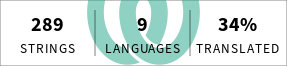
Help us make ShowCase accessible to more users by contributing translations! Visit our Weblate project page to get started.
Distributed under the GNU General Public License v3.0. See LICENSE file for the full text and GPL-3.0 Overview for more information.
If you find ShowCase useful and would like to support its development, please consider donating. Your support helps keep the project alive.


